
PowerPoint Teleprompter for Windows
Drop your PowerPoint and see how long your speaker notes are, and how much of them the free version reads.
The drop box reads your file on this page, the way the web teleprompter does.
The Windows app reads .pptx notes the same way and also takes PDF.
Free to start.
Short answer. Open MIRAY, press Ctrl+O and pick a .pptx, .docx, .md, .pdf or .txt file. For PowerPoint it reads the speaker notes of every slide that has some, in order, one cue per slide. It does not follow your slides while you present: the script moves with your voice or at a set speed. Importing is free; the free version reads about 300 words of a script per session.
PowerPoint has a Teleprompter view. When is MIRAY the better pick?
Microsoft added a Teleprompter view to PowerPoint’s Record window. It is a fair choice, so here is where each one fits.
| PowerPoint’s Teleprompter view | MIRAY | |
|---|---|---|
| Where it lives | Inside PowerPoint’s Record window, with your notes above the slide preview | A separate window you place over any app |
| Made for | Recording a presentation in PowerPoint | A live call, a recorder, a browser tab, a demo, as well as a deck |
| How it moves | Scrolls your notes while you record | At a set speed, or with your voice, and Follow finds your place after a skip |
| Your script | The notes of the open deck | Notes, Word, Markdown, PDF or text, kept in a library |
| The catch | You need PowerPoint with Recording Studio, and it stays inside PowerPoint | Windows only, a separate app, and free reads about 300 words a session |
Our advice: if you only ever record inside PowerPoint, try its Teleprompter view first. Pick MIRAY when you present live in another app, want your voice to drive the script, or keep your scripts outside the deck.
Sources, checked 29 November 2026: Microsoft Support, Record your presentation (Teleprompter view above the slide preview) and Microsoft 365 Insider blog, the enhanced teleprompter in Recording Studio (notes from the Notes section, auto-scrolling). We have not measured either. Check your own PowerPoint version.
What MIRAY reads from each file
MIRAY opens your file for reading only and turns it into plain script text. Pick a file type to see what it keeps, then check the table.
In your deck
Slide 1  notes:
Welcome, everyone. Today: three results.

Slide 2  (no notes)

Slide 3  notes:
Revenue grew 12 percent.
Say why it matters.
On the prompter
[Slide 1]
Welcome, everyone. Today: three results.

[Slide 3]
Revenue grew 12 percent.
Say why it matters.
Only the notes box is read. Slide text, pictures and slides with no notes are left out, and each slide with notes gets a cue with its slide number.
In your Word file
Heading 1:  Opening
Hello and welcome.

Normal text, two
sentences. Second one.
On the prompter
[Opening]
Hello and welcome.

Normal text, two sentences. Second one.
Paragraphs become lines. A heading style (Heading 1, 2, and so on, or Title) becomes a cue, shown but not spoken.
In your Markdown
## Intro
Some **bold** point with a [link](https://x.test).
- first point

```
code is dropped
```
On the prompter
[Intro]
Some bold point with a link.
first point
Headings become cues. Bold, links, list marks and quote marks are stripped; code blocks and HTML comments are dropped.
In your PDF
Welcome to the quar-
terly update. Today we
cover three results.

3
On the prompter
Welcome to the quarterly update.
Today we cover three results.
A PDF wraps every line at the page edge. MIRAY joins the lines back into sentences, one per line, mends words split by a hyphen and drops bare page numbers. Check the result: layout-heavy PDFs can come out untidy.
In your PDF
(a photo of a printed page,
 no text underneath)
On the prompter
(nothing)

That file has no text to read.
A scan has no text layer, and MIRAY has no text recognition, so it reads nothing. Run the scan through OCR elsewhere, or paste the text.
In your text file
Line one of my script.
Line two.

A new paragraph.
On the prompter
Line one of my script.
Line two.

A new paragraph.
Text comes through as written: each line break stays a line break, and a blank line stays a paragraph break.
| File | What becomes the script | What is left out |
|---|---|---|
| PowerPoint (.pptx) | The speaker notes of each slide that has notes, in slide order, each introduced by a cue such as [Slide 3] | Slide text, pictures, charts, slides with no notes |
| Word (.docx) | Paragraphs as lines; Heading styles and Title as cues | Formatting and pictures |
| Markdown (.md, .markdown) | The text, with headings as cues | Markup symbols, code blocks, HTML comments, rules |
| PDF (.pdf) | The text layer, joined back into one sentence per line | Pictures, bare page numbers. A scan, or a damaged or protected file, gives nothing |
| Text (.txt) | Exactly as written | Nothing |
Pasted text is tidied the same way: curly quotes and long dashes become plain ones, odd spaces and invisible characters are removed, and long runs of blank lines are shortened.
Three ways to get a script in
- Import a file. In the Studio press Ctrl+O or the Import button, and pick a .txt, .md, .docx, .pdf or .pptx.
- Drop a file. Drag a .txt, .md, Word, PowerPoint or PDF file anywhere onto the Studio window.
- Paste. Copy text anywhere and press Ctrl+Alt+V. MIRAY adds it as a new script and tidies it.
- Press Start. The script opens in the prompter. The file can stay open in Word or PowerPoint: MIRAY only reads it.
The import is a snapshot. If you edit the deck or document afterwards, import it again.
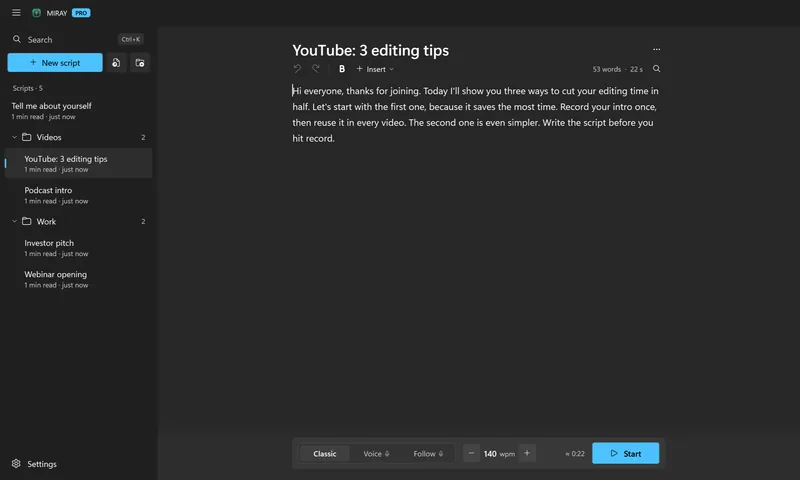
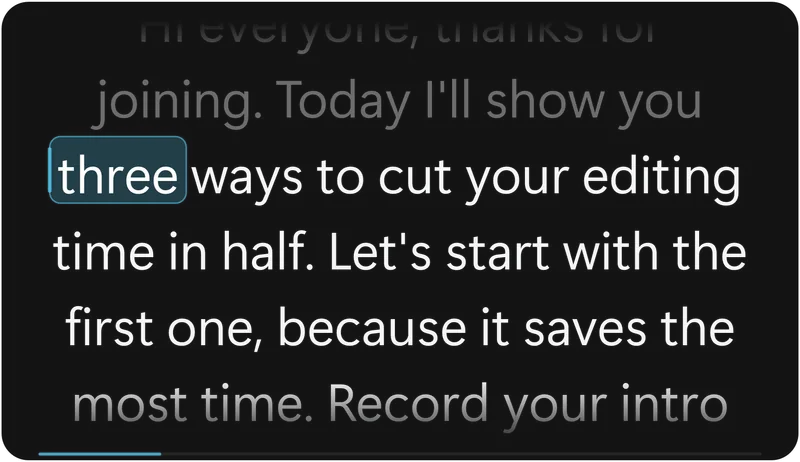
One screen, your notes in view
Import the .pptx and put the prompter where it does not cover the slide: docked at the top, floating, or click-through. The script scrolls while you speak, so you do not touch the deck to keep your place.
- Best for
- Presenting from one monitor, or sharing a window when you want your notes beside the slides.
- Skip it if
- PowerPoint’s Teleprompter view already covers how you present, or your notes are much longer than free reads.
- Adjust
- Switch from Voice or Follow to Classic, and use Ctrl+Alt+Space to play and pause.
Sharing a screen on a call? MIRAY asks Windows to keep the prompter out of the capture, and you should check your own setup: the 60-second test shows what the call sees.
No deck to hand? Work it out.
A whole deck of notes is usually longer than the free version reads in one session, so check it before you rely on free. Enter your numbers; nothing leaves this page.
Example: 20 slides at about 60 words each is about 1,200 words, which reads in about 8.6 minutes at 140 words a minute. The free version reads about 300 words a session, roughly the first 5 slides.
Shape the script, size the prompter
Marks in plain text
Add cues, pauses, bold words, speaker colours and section headings as plain text, so a script stays a script in any editor.
Ready-made sizes
Compact, Standard and Large for the Island; Small, Default and Large for the floating prompter. Sliders cover anything in between.
Fit to a length
Pick 1 to 30 minutes and MIRAY sets the Classic speed that reads the script, pauses included, in that time.
The script marks, in full
| Write | What the prompter does | Good for |
|---|---|---|
[cue] | Shows the text but does not speak it, and voice matching skips it | Stage directions such as [smile] or [next slide] |
[pause] or [pause 2.5s] | Holds Classic for 2 seconds, or the time you give, up to 60 seconds | A beat after a key line |
**bold** or ALL CAPS | Draws the words in bold | Words to lean on |
[Anna]: at a line start | Gives that speaker a colour | Two-person scripts, interviews |
## Section | A section heading: shown, never spoken | Long scripts |
Prompter size presets and Fit to a length, in full
| Layout | Presets (width by height) |
|---|---|
| Island | Compact 360 by 100 · Standard 440 by 124 · Large 560 by 170 |
| Float | Small 400 by 200 · Default 520 by 300 · Large 720 by 420 |
Sizes are in device-independent pixels. Default is also the reset after you drag the edges. Fit to a length offers 1, 2, 3, 5, 7, 10, 15, 20 or 30 minutes, and only when the speed lands between 60 and 300 words a minute. On the free version it measures the part that free reads.
Where importing stops
Notes, not slides
MIRAY reads the speaker notes only. It does not read slide text, and it does not follow PowerPoint: changing slide does not move the script.
Scans have no text
A scanned PDF is a picture of a page. MIRAY has no text recognition, so it imports nothing from one. Damaged or protected PDFs cannot be read either.
PDFs can come out untidy
MIRAY re-flows a PDF into sentences, but columns, tables and headers are only as clean as the PDF’s own text. Read through the result before you present.
A snapshot, not a link
The file is read when you import it. If you change the deck afterwards, import it again.
Free reads about 300 words
Importing is free, but a free session reads about 300 words (about 2 minutes), with one script of your own. The one-time upgrade removes that cap.
Windows only
The app runs on Windows. The free web teleprompter on the home page imports .pptx notes, .docx, .txt and .md on your device, but not PDF.
What is free, with the cap named
| Feature | Free | One-time upgrade |
|---|---|---|
| Import: .pptx notes, .docx, .md, .pdf, .txt, paste | Included | Included |
| Island, Float, Ghost, size presets, Fit to a length | Included | Included |
| Classic and Voice reading | About 300 words a session (about 2 minutes of speech) | No length limit |
| Scripts and folders | One of your own, plus the sample | Unlimited, in folders |
| Follow on your own script | 3 sessions a week | Every time |
Free: Classic and Voice scrolling for about 300 words a session (about 2 minutes), one script of your own, Island, Float and Ghost, hidden from screen share, every import format, and Follow 3 sessions a week. The upgrade is a one-time $19.99 (US price; local prices vary), no subscription: unlimited length, unlimited scripts, Follow every time. The buy page has the full comparison.
Import and presets questions
Can I use my PowerPoint speaker notes as a teleprompter script?
Yes. Import the .pptx and MIRAY reads the speaker notes of every slide that has some, in slide order, each introduced by a cue such as [Slide 3]. It reads the notes once, when you import, so a later change to the deck needs a new import.
Does PowerPoint have its own teleprompter?
Yes. PowerPoint’s Record window has a Teleprompter view that shows your speaker notes above the slide preview while you record (Microsoft Support, checked 29 November 2026). MIRAY is a separate window that sits over any app, so you can use it in a call, a recorder or a browser tab, and it can follow your voice. If you only record inside PowerPoint, its own view may be all you need.
Does MIRAY follow my slides while I present?
No. It does not watch PowerPoint and it does not change when you change slide. The script moves with your voice (Voice or Follow) or at the speed you set (Classic). The notes simply give you a script that already matches the slide order.
Which files can I import?
Plain text (.txt), Markdown (.md, .markdown), Word (.docx), PowerPoint speaker notes (.pptx) and PDF (.pdf). Use Import (Ctrl+O) in the Studio, drop a file on the Studio window, or paste text with Ctrl+Alt+V.
Why did my PDF import nothing?
MIRAY reads the text layer of a PDF. A scan is a picture of a page with no text layer, so there is nothing to read, and MIRAY tells you the file has no text. A damaged or protected PDF also cannot be read. Run the scan through text recognition in another tool first, or paste the text.
Does the file I drop on this page get uploaded?
No. The drop box on this page reads the file inside your browser and shows you the numbers. Nothing is sent to a server. It reads .pptx notes, .docx, .txt and .md; the Windows app also reads PDF.
Is importing free?
Yes, every import format is free. What the free version caps is how much of a script it reads in one session: about 300 words, about 2 minutes of speech, with one script of your own. A whole deck of notes is usually longer, so check the length before you rely on free.
What does Fit to a length do?
You pick 1, 2, 3, 5, 7, 10, 15, 20 or 30 minutes and MIRAY sets the Classic speed that reads the script, pauses included, in that time. It only offers lengths that land between 60 and 300 words a minute. On the free version it measures the part that free reads.
Are there ready-made prompter sizes?
Yes. In the Studio, the Island has Compact (360 by 100), Standard (440 by 124) and Large (560 by 170) sizes, and the floating prompter has Small (400 by 200), Default (520 by 300) and Large (720 by 420). Sliders cover anything in between.
Import the notes you already wrote.
Install MIRAY, press Ctrl+O and pick your deck. Free to start, no account.
Windows 10 version 2004 or later, and Windows 11. About 184 MB. The web version does not import PDF.
- Voice and FollowA script that moves when you speak.
- Island and Ghost modeDock it, float it, or click through it.
- Hidden from screen shareWhat the call sees, and the 60-second test.
- Zoom presentationsRead while you present.
- Online teachersLesson notes on screen.
- BuyFree and the one-time upgrade, side by side.